
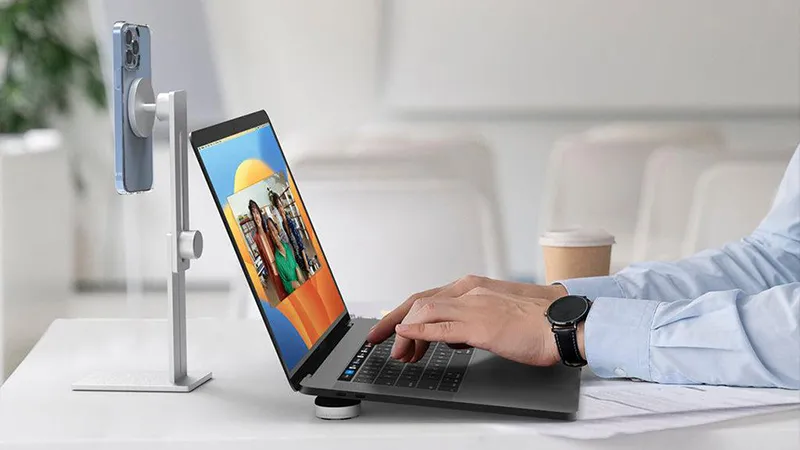
A good desk does not have to be large or full of advanced accessories. Often, it is the small changes that make the biggest difference. Raising the screen off the desk, giving your phone its own place, and not having to search for the charging cable can make your workday much smoother.
With the right stands and holders, your iPhone and iPad can become more useful parts of your workspace. Here at Just Mobile, we offer several accessories that help you create order without cluttering your desk with unnecessary items. Here, we walk you through five simple ways to create a more practical workspace.
Give your iPad its own place on the desk
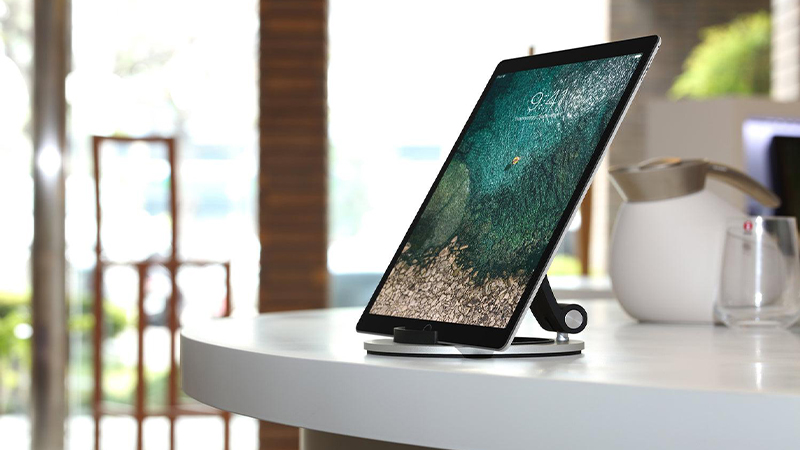
An iPad works very well as an extra screen for information, notes, and documents. But when it lies flat on the desk, you often have to lean forward to read the content. With a separate stand, you can position the screen more upright and see what is happening more easily.
Just Mobile Encore is a foldable stand in aluminum and hard rubber with an adjustable viewing angle. It fits several different iPad models and works both when you want to read and when you need a lower angle for typing. Because it is not built for just one iPad generation, you can keep using it even when you change tablets.
Let your iPhone stand next to your computer
Your phone is often a natural part of the workday. That is where messages, reminders, and calls appear, even when you are working at your computer. If it lies among papers and other items on the desk, it is easy for it to get in the way or disappear under something.
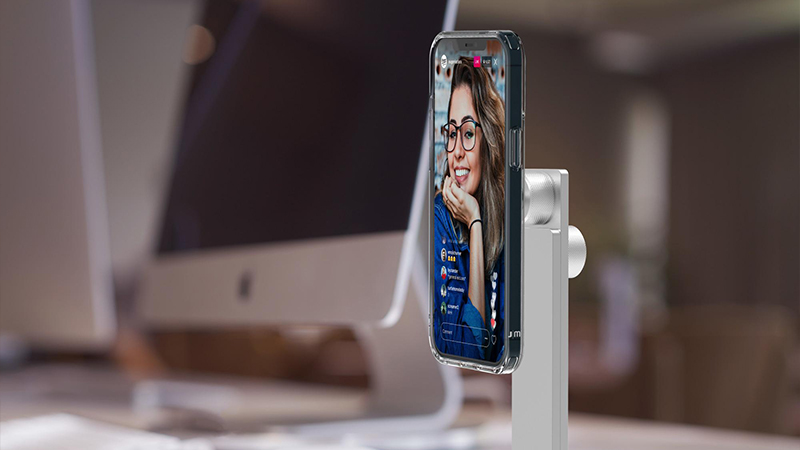
With AluDisc Pro, your iPhone has a fixed place. The MagSafe version holds compatible phones magnetically and has an adjustable height and a rotating head. You can place the phone upright for messages and video calls, or turn it to landscape mode when you want to show other content.
Keep charging cables in order
Charging cables have a habit of ending up exactly where you do not need them. They slip behind the desk, tangle up, or lie across the keyboard. One simple solution is to give both your devices and your cables fixed places.

Just Mobile AluCup Grande is an aluminum holder with a soft rubber surface and integrated cable grooves. It is suitable for iPhone and iPad mini, among others, and helps you keep the charging cable within easy reach. You no longer have to look for the connector every time the battery starts to run low, and you also get a clearer place for your phone.
Adapt your workspace to the tasks of the day
No two workdays look the same. Sometimes you need to keep a document open on your iPad while you work on your computer. Other times, you want your phone visible for a video call or need to follow instructions without holding the screen.
With movable stands, it becomes easier to change the setup as needed. Encore can be folded down and taken between home and office, while AluDisc Pro is ideal when the phone needs a more permanent place. Try different placements and choose the one that lets you read the screens without having to twist your body unnecessarily.
Let fewer accessories do more
It is easy to think that a better workspace requires more gadgets. In practice, it is more about choosing accessories that solve several problems at once. An adjustable stand can make the screen easier to see, free up desk space, and reduce the need to hold the device in your hand.
So start by thinking about what bothers you most during the workday. Is it the phone that gets in the way, the tablet that is hard to read, or the cables that never stay put? With a few thoughtful changes, you can create a desk that works better for your specific needs.
FAQ
Can I use Just Mobile Encore with different iPad models?
Yes, Encore is designed for several iPad models, including iPad, iPad Air, iPad mini, and iPad Pro. It also works with many other tablets.
Does AluDisc Pro work with MagSafe?
Yes, the MagSafe version of AluDisc Pro is designed for compatible iPhone models and has a magnetic mount with adjustable height and angle.
Can AluDisc Pro charge my iPhone?
The stand can be used together with a separate Apple MagSafe charger. The charger itself is not included.
What is the advantage of a separate iPad stand?
You can position the tablet at a more comfortable angle for reading, video calls, and work without having to hold it in your hand.
How can I keep charging cables better organized?
Give the cables fixed places and, if possible, use a holder with cable grooves, such as AluCup Grande. That makes the connectors easier to find and reduces clutter on the desk.